
Completion and overdue
What was due, what happened inside its window, and what is late — while you can still act on it.
Every asset carries its own service schedule. The work appears, the technician completes the checklist on a phone, and the whole record lands on the asset — so the history builds itself.
The schedule is on somebody’s spreadsheet. The job card is paper. The asset’s history is in an engineer’s head. The first time anyone reads the record is after something has failed.
It works until they are on leave, or resign, or the estate grows past what a sheet can hold.
Planned work rarely gets cancelled. It slips — and nobody can see by how much until a failure or an audit.
No pattern, no warranty claim, and no basis for deciding whether to service again or replace.
Capital gets spent on the assets that shout loudest, not the ones that cost the most.
Registered against a site with its make, model, serial, criticality, warranty and service interval.
Services are generated ahead of time from the interval on the asset — no spreadsheet to maintain.
Assigned by skill, region and availability, with the parts identified before anyone travels.
Scan the asset tag, work the checklist, take readings and photos, record parts, capture a signature — online or off.
Anything out of specification raises a corrective job instead of a note nobody reads.
Service report or certificate issued, and every service, reading and part joins the asset’s own history.
Scan the tag on the asset and the whole history is there — including the services you did not do.
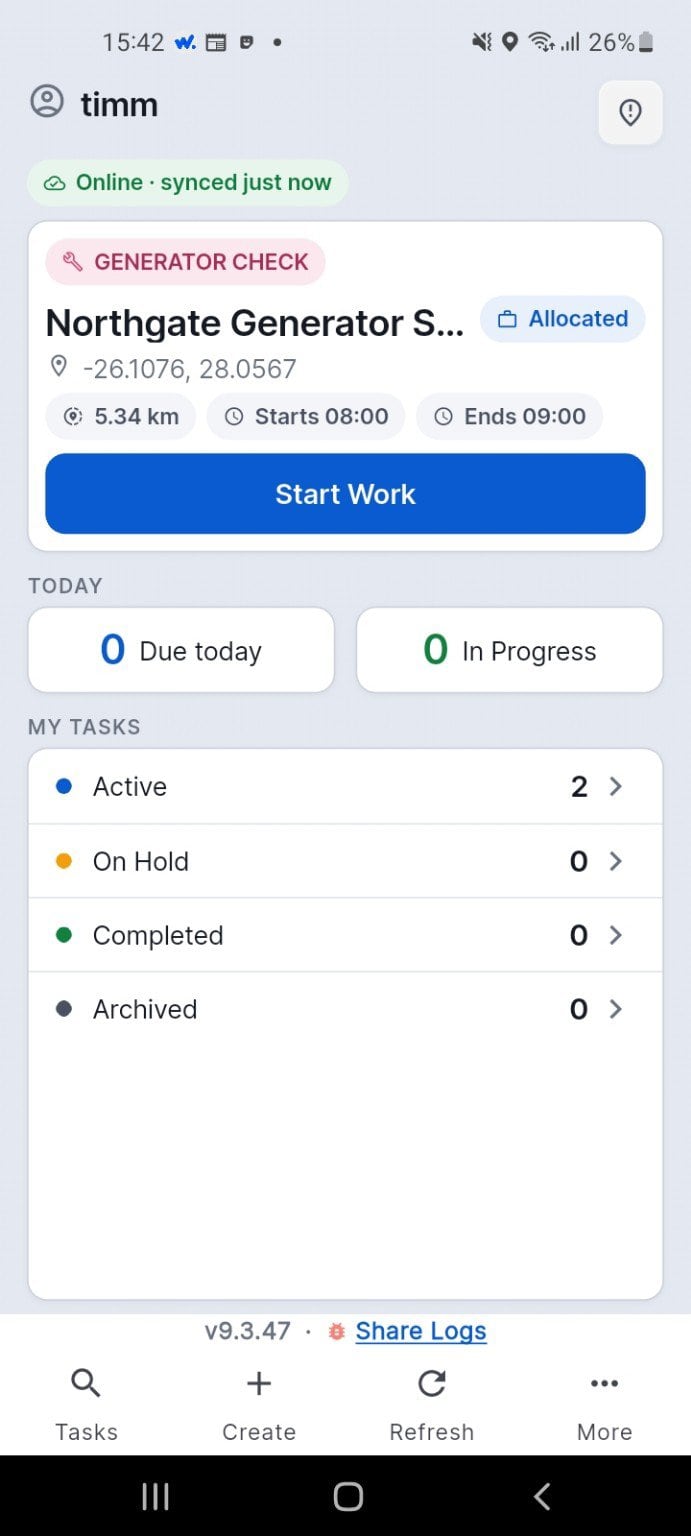
The service appears on the technician's dashboard, with the totals for the day.
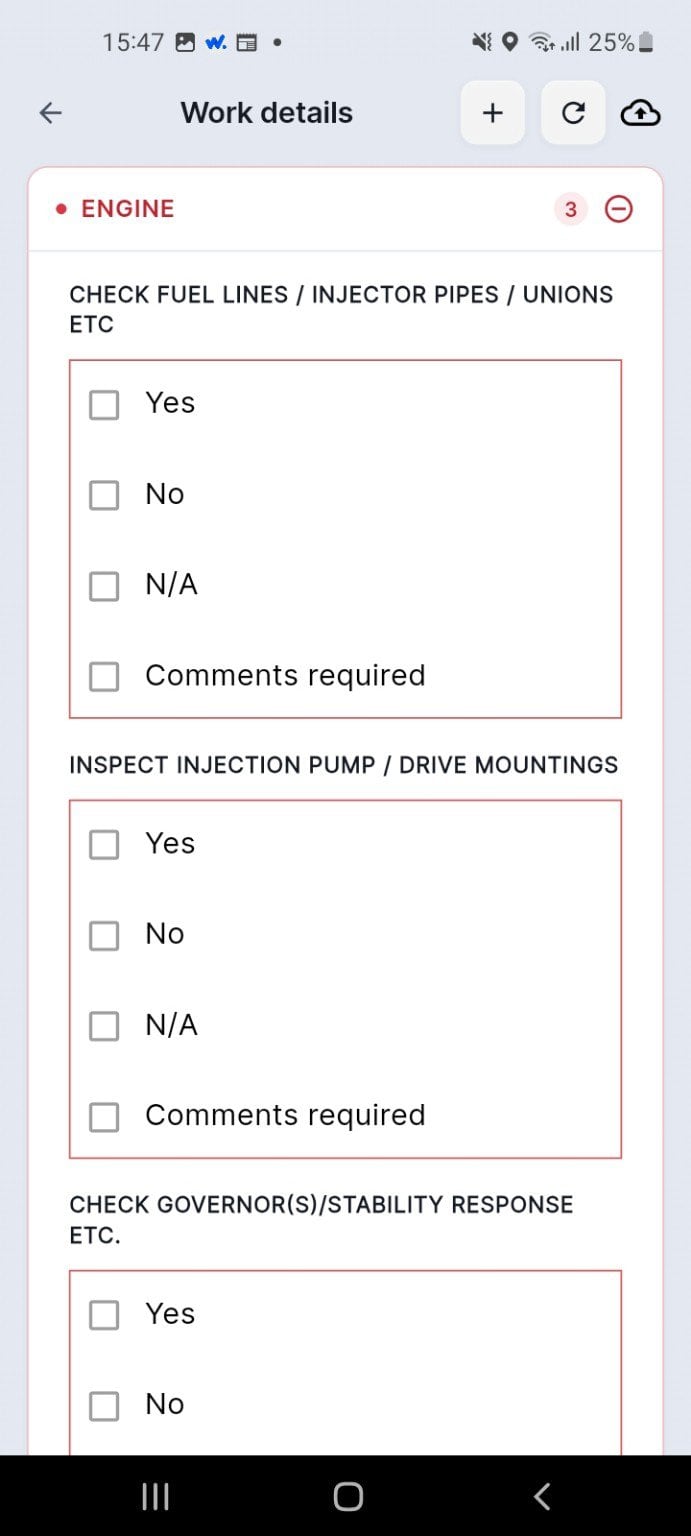
Every inspection item is answered on the phone, against the asset.
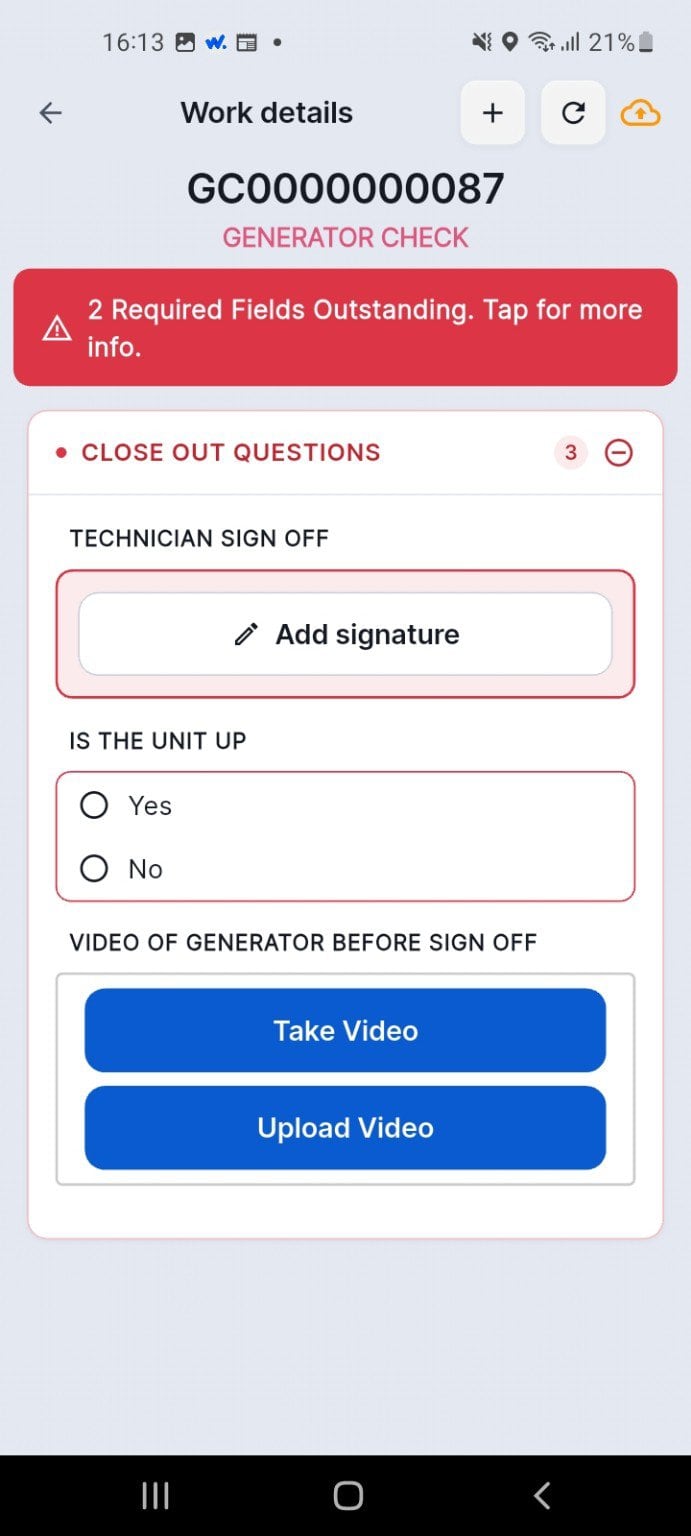
The technician signs and answers the closing questions before the job can close.
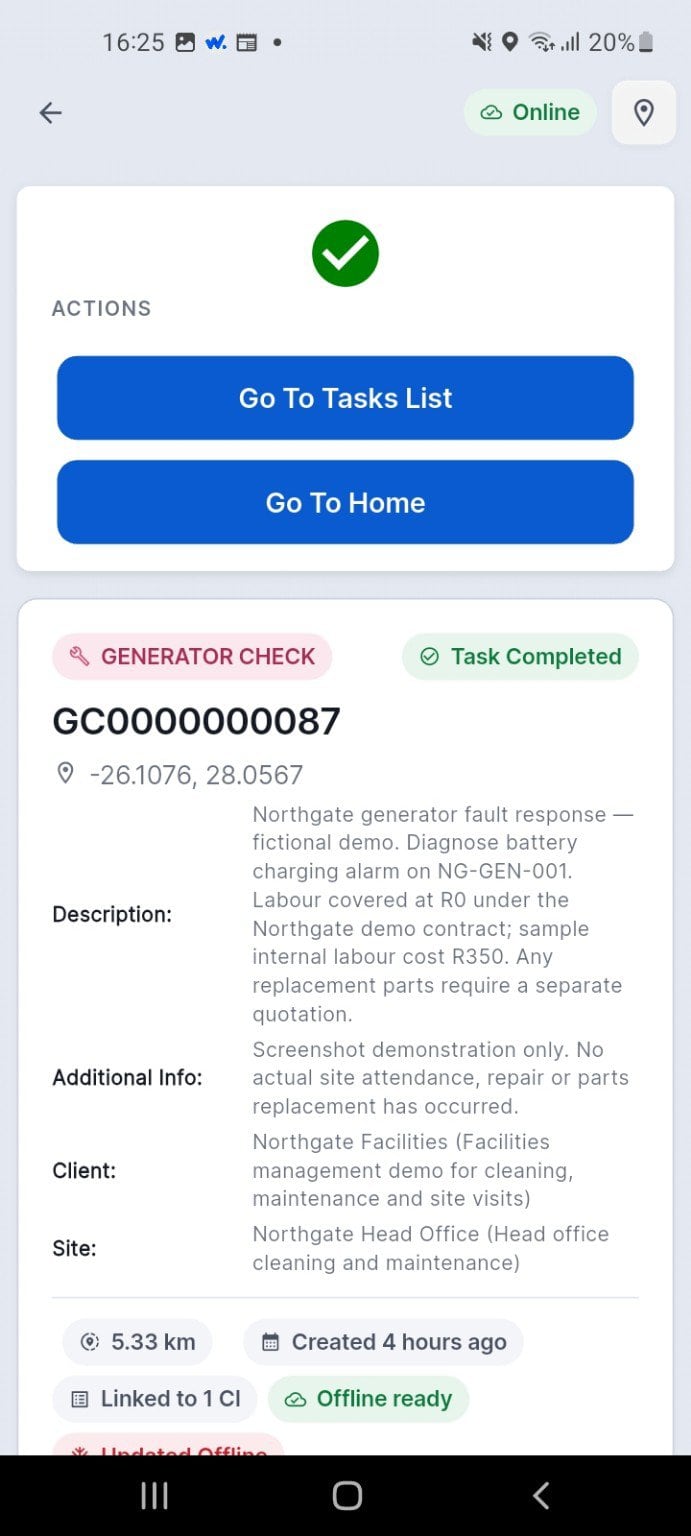
The job is confirmed complete and the record is saved.
The service appears on the technician's dashboard, with the totals for the day.
Every inspection item is answered on the phone, against the asset.
The technician signs and answers the closing questions before the job can close.
The job is confirmed complete and the record is saved.
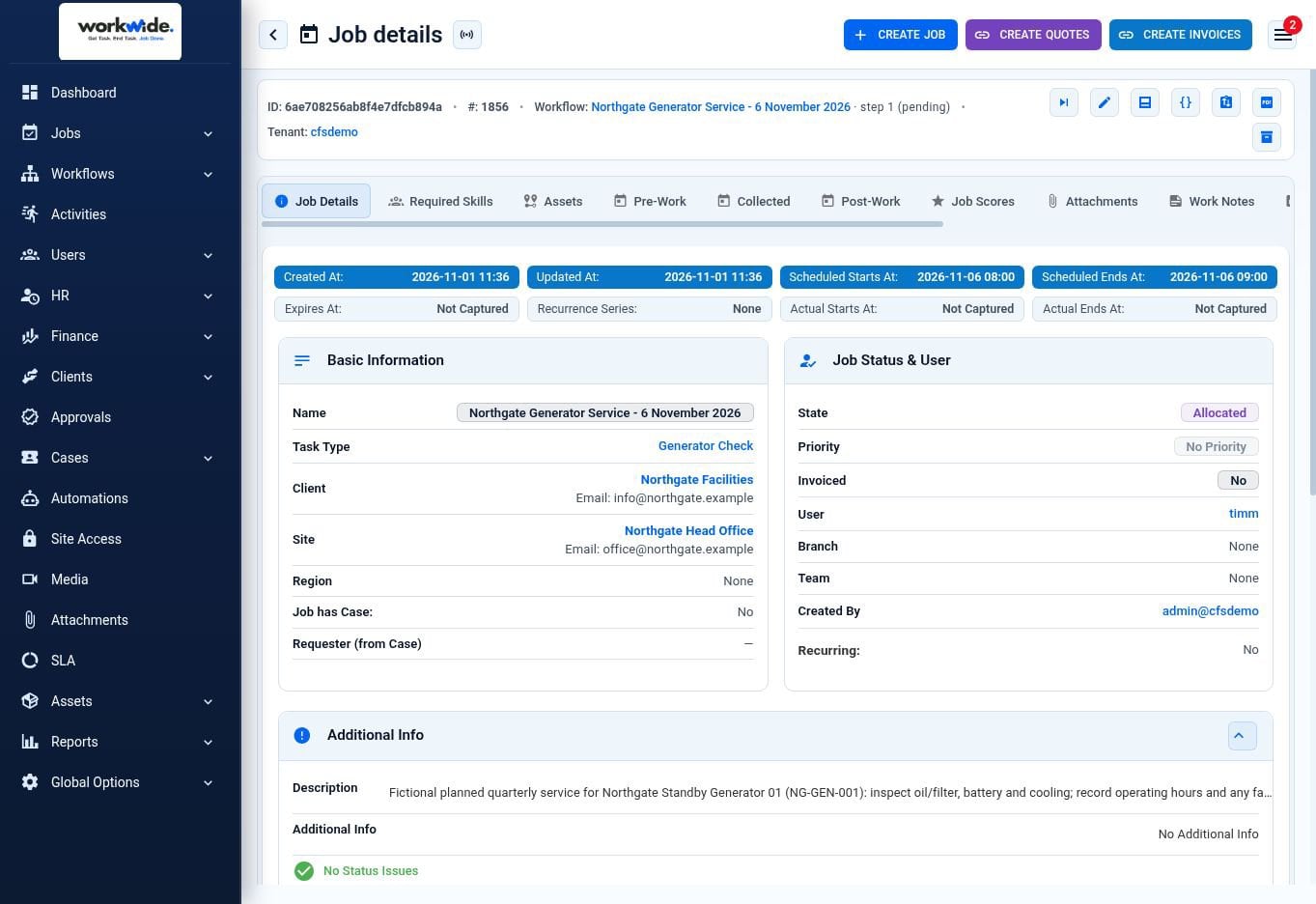
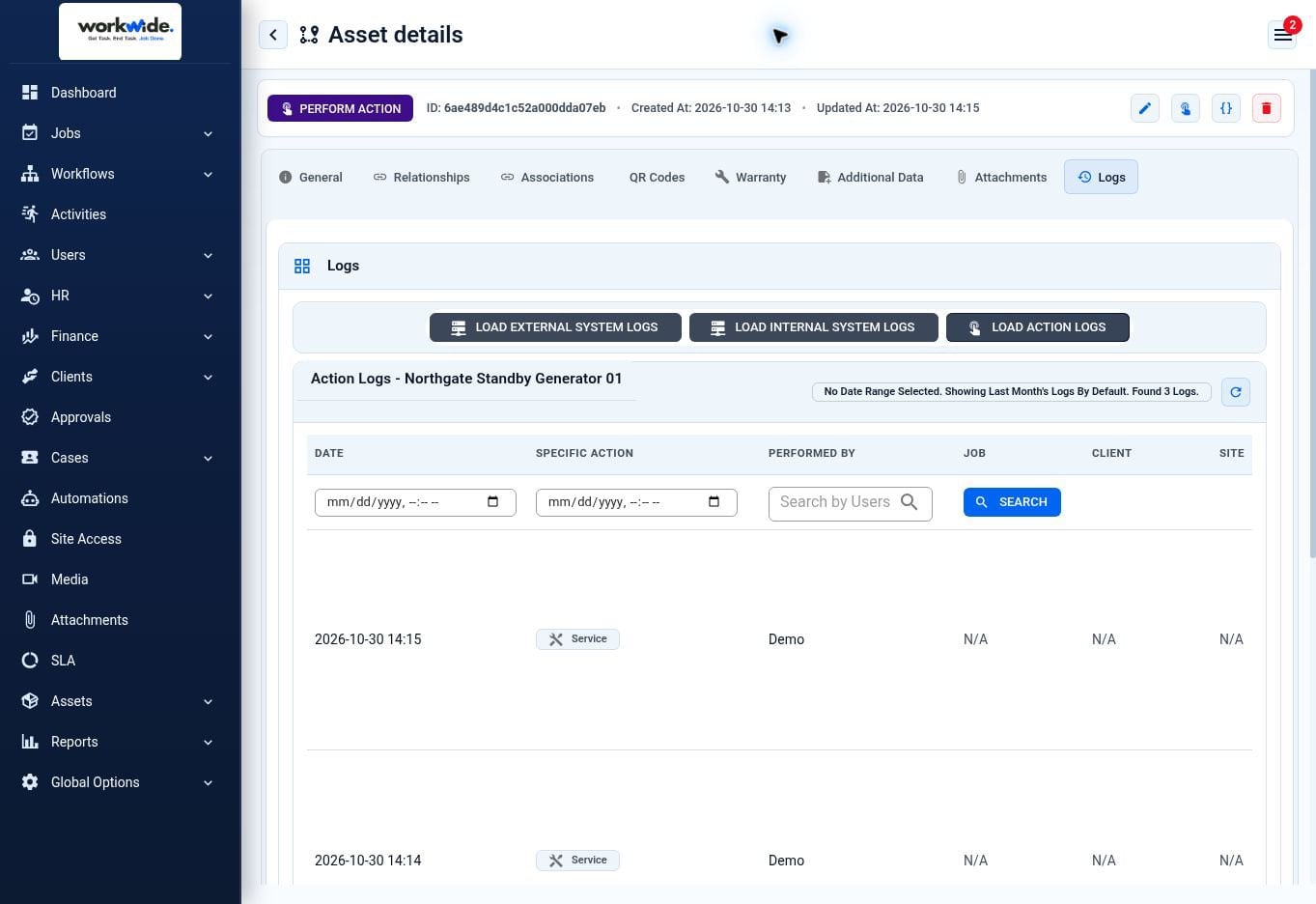
Screens from the WorkWide app and portal, shown with demonstration data.
What was due, what happened inside its window, and what is late — while you can still act on it.
Recurring faults by asset, model or site, so the pattern shows up before the budget cycle does.
What each asset has cost to keep, as the basis for service-or-replace decisions.
Twelve months of service history for one machine, in a minute rather than a morning.
Power, generators, UPS, HVAC, fire and network equipment maintained on client sites under contract.
Plant rooms, lifts, HVAC, generators and building services across a portfolio.
Building services and equipment where servicing evidence is inspected.
Pump stations, reservoirs, treatment plant and substations.
Intervals sit on the asset, so jobs appear and lateness is visible without anyone maintaining a sheet.
Checklists, readings and photos captured where the work happens, offline if the site has no signal.
Not in a job folder — on the thing itself, for as long as you own it.
The same system runs reactive work, contracts, parts and client reporting when you need them.
Yes, and this is the usual position. The register can be built as the first round of services happens, so the data load and the work are the same exercise.
QR or barcode tags. Scanning the tag opens that asset’s schedule, checklist and history.
The interval held on the asset. Readings and failed checks raise corrective work alongside the planned schedule.
Yes. The job is completed offline and syncs when the phone is back in range.
Yes — per service, per asset or per site.
Yes. Labour, parts and services accumulate against each asset over time.
If the honest answer is “we think most of them”, that is the problem.