
Which sites and assets
What the contract actually covers, down to the asset where you need it.
Most desks can log a request. Ours carries it through dispatch, the job on site and the billable line — with the client’s contract deciding what is covered before anyone is sent.
After that, someone has to be scheduled, get to a site with the right parts and permissions, fix it, prove it, and have the work billed against whatever the contract covers. That usually happens across three systems, with people re-typing between them.
The ticket is in one system, the job card in another, and finance re-types it into a third.
Service levels are discovered in the monthly report, when nothing can be done about them.
The argument about whether the work was in the contract happens after the engineer has been.
Most service businesses suspect it happens every month. Almost none of them can size it.
By email into the desk, logged by an agent, or raised by the client in the portal.
Entitlements applied automatically: covered, chargeable at the agreed rate, or out of scope.
The SLA runs against the terms for that client and priority, with escalation before the breach.
Fixed at the desk, or scheduled to the right person by skill, location and availability.
Checklist, photos, readings, parts and signature — on the phone, online or off.
Billable work priced against the contract and passed to finance.
Engineers work with no signal. Records sync as soon as the phone is back in range.
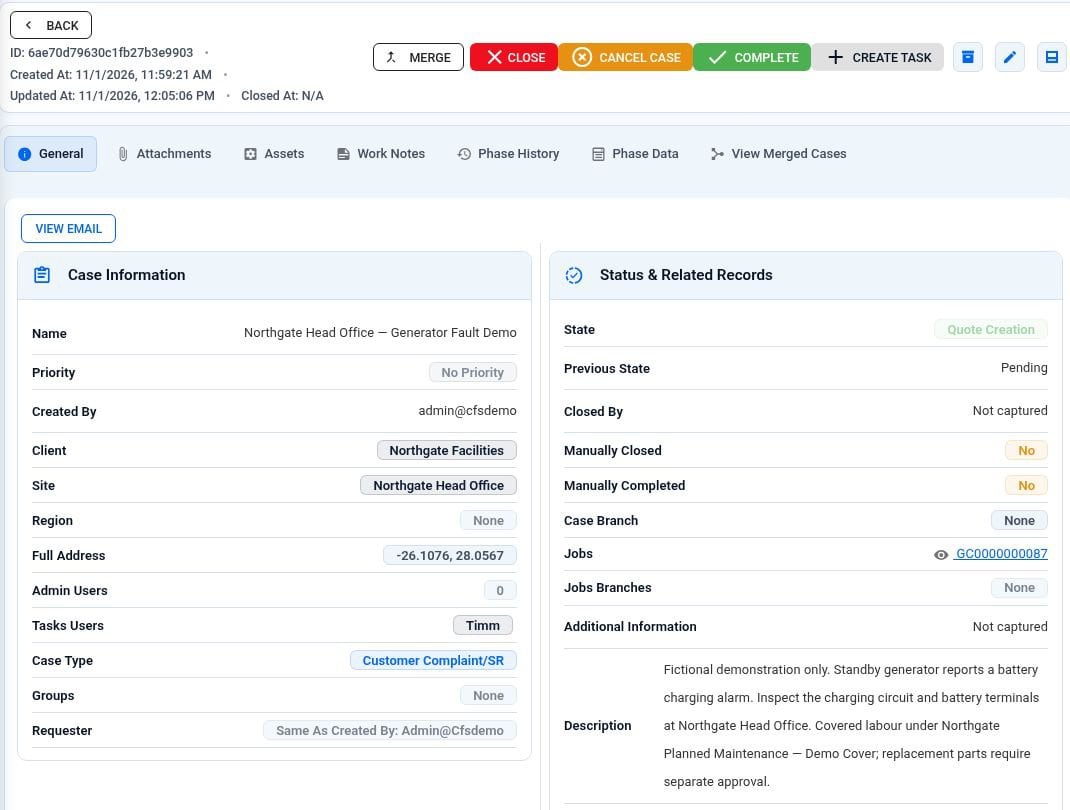
The client’s case is linked straight to the work task.
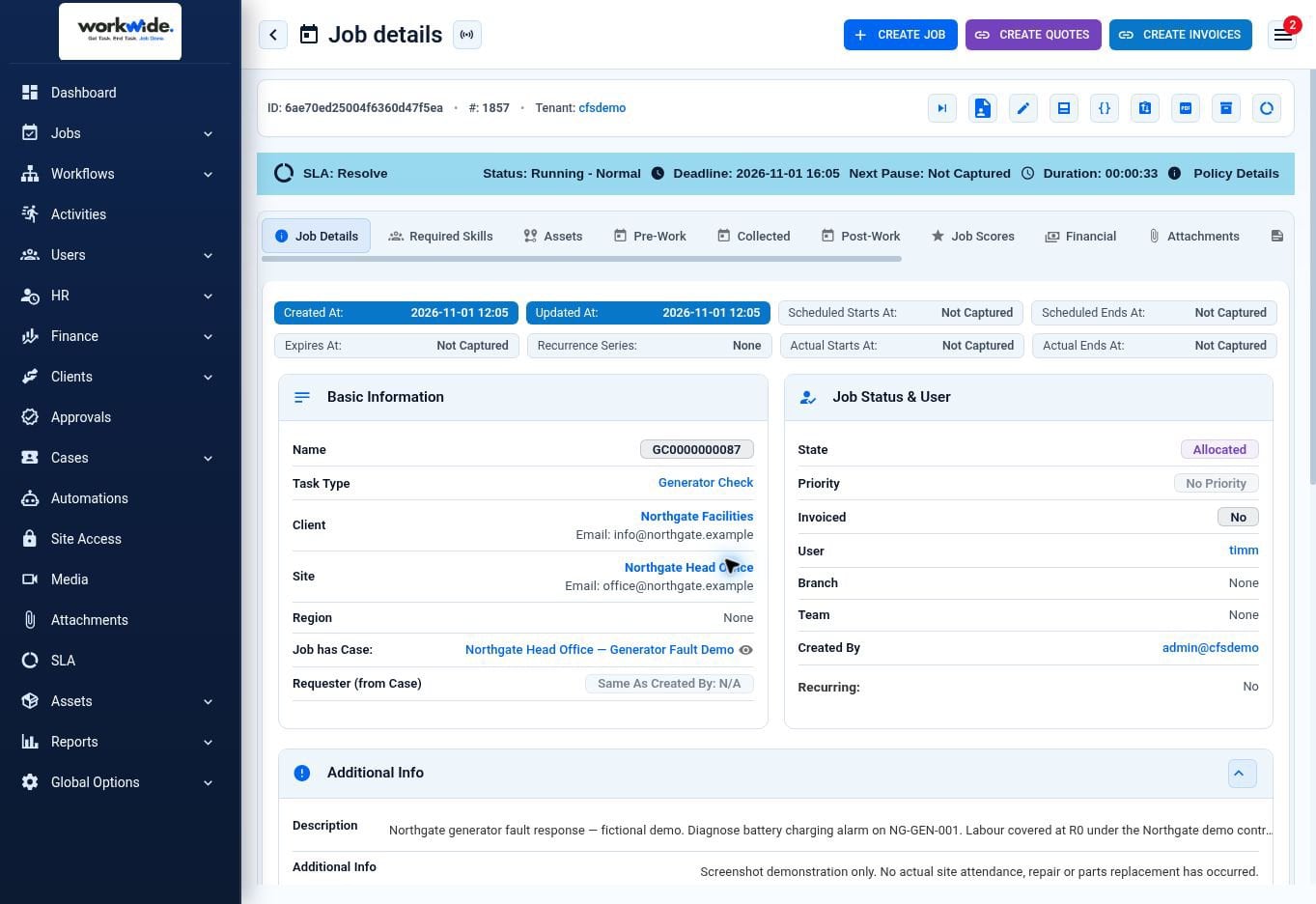
The job shows its SLA, so nobody has to guess the deadline.
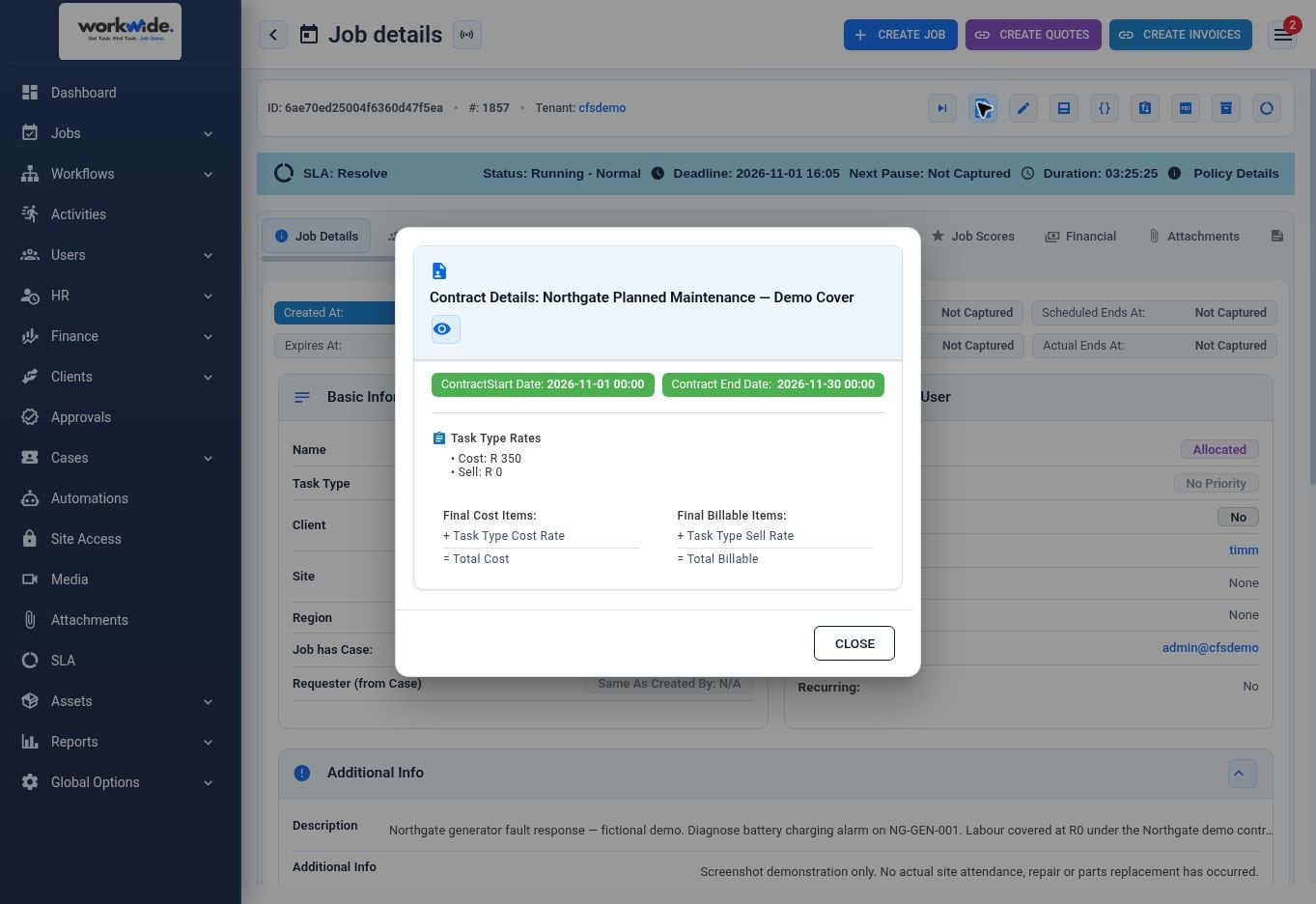
The job sits under the client’s contract and its terms.
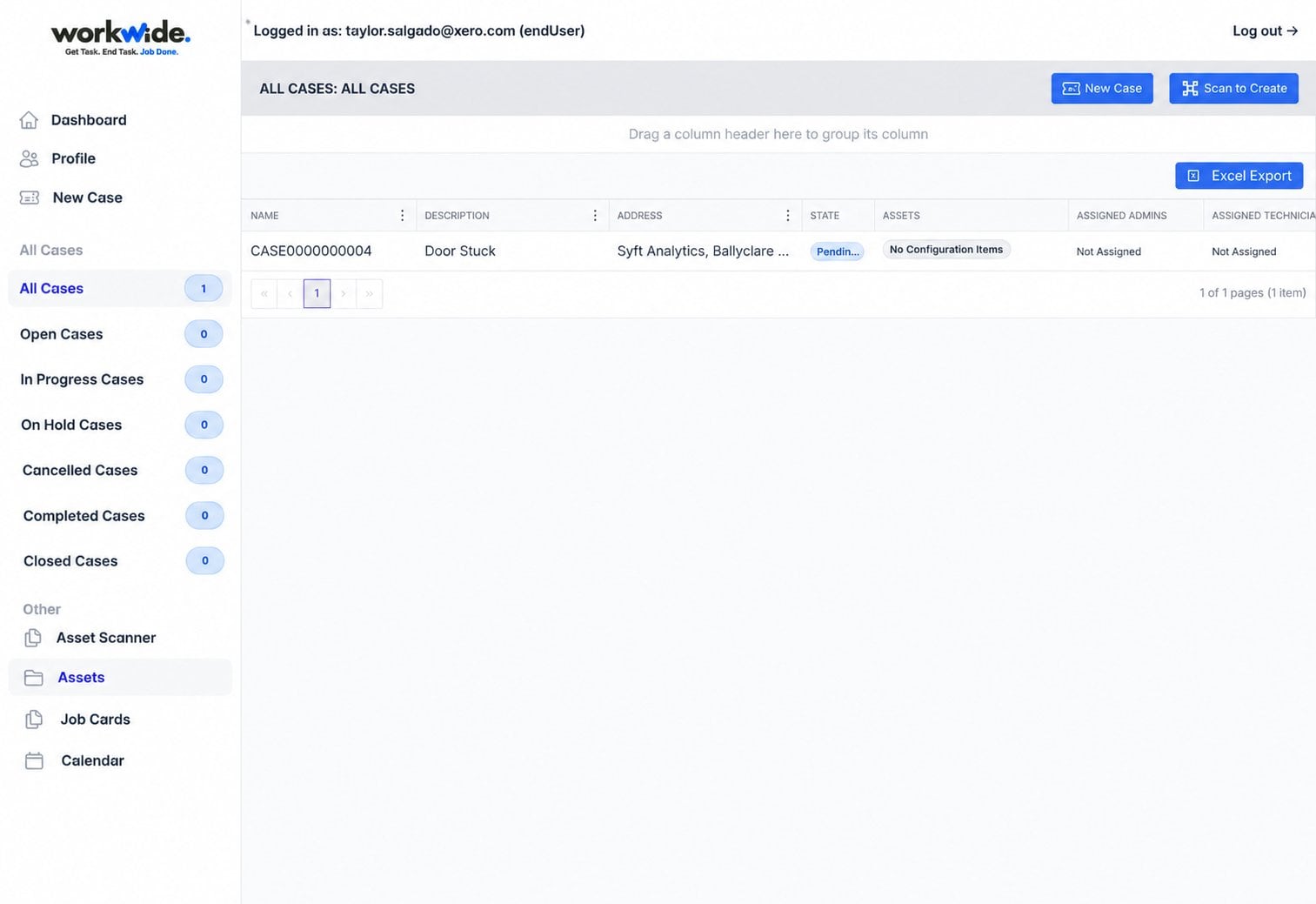
In the client portal, the client follows their own case.
The client’s case is linked straight to the work task.
The job shows its SLA, so nobody has to guess the deadline.
The job sits under the client’s contract and its terms.
In the client portal, the client follows their own case.
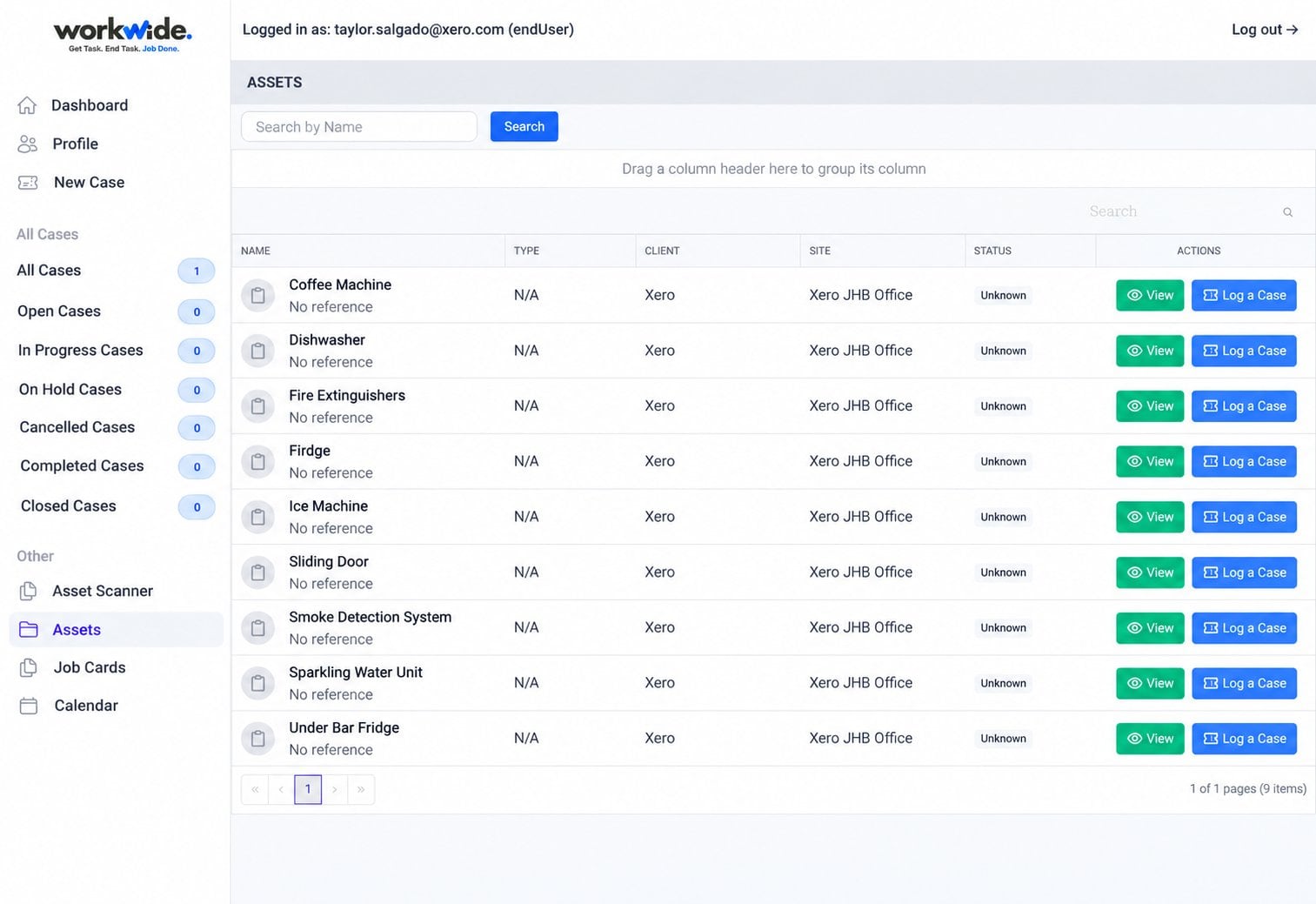
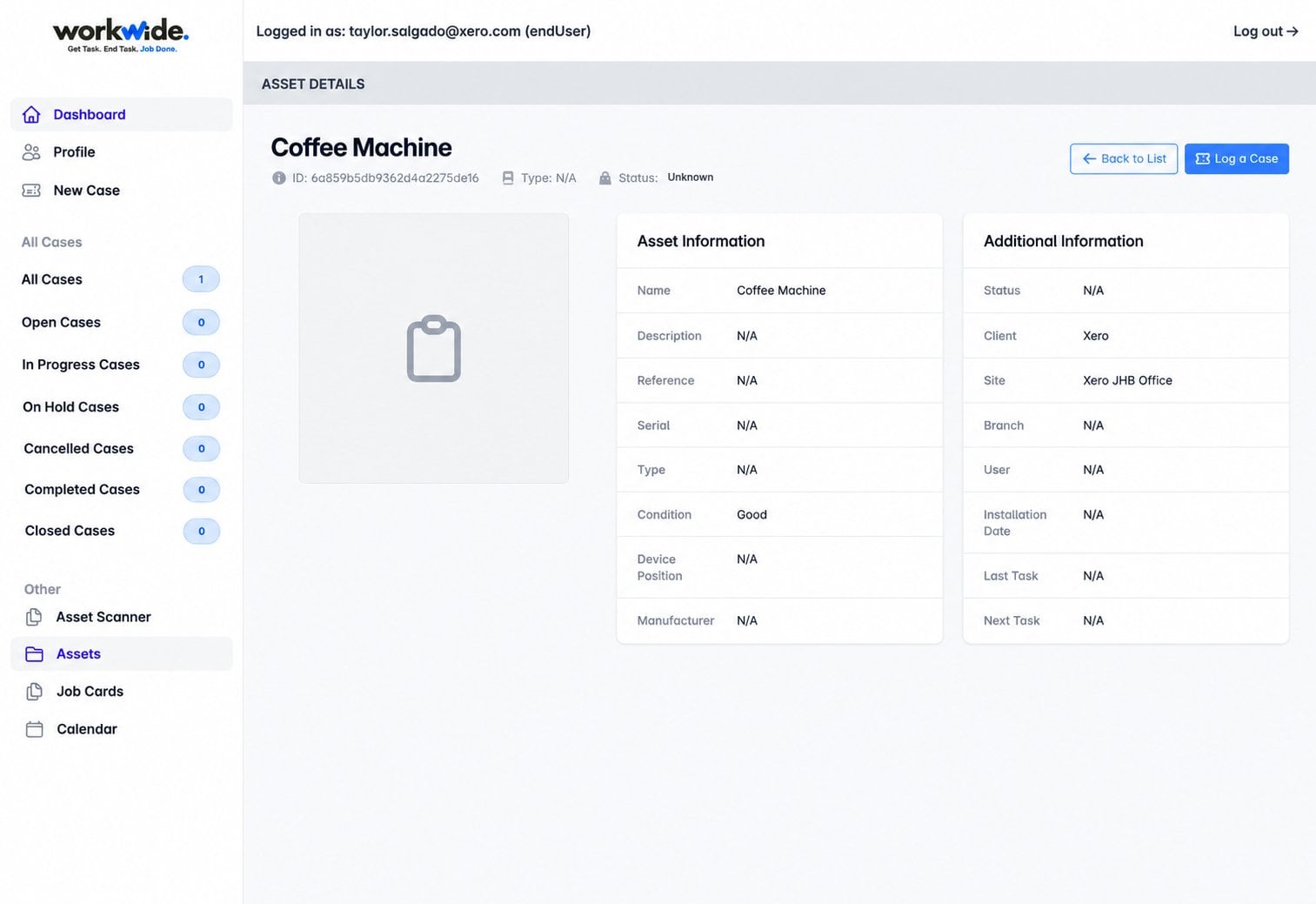
Screens from the WorkWide app and portal, shown with demonstration data.
An entitlement is the part of a contract that answers that question before anyone is dispatched. WorkWide applies those terms automatically when the ticket is raised.
What the contract actually covers, down to the asset where you need it.
Break-fix but not moves, planned maintenance but not projects — whatever was agreed.
Included callouts or hours, then chargeable at the agreed rate.
The billable line comes out of the work, priced against the contract behind it.
Abec — Advanced Infrastructure — run their entire service desk on WorkWide. Requests come in by email, from agents and through the client portal, and the ones that need an engineer become field work on the same record.
client organisations on one desk, each with their own contract terms
sites where the work actually happens
regional branches, one standard
cases turn into field work; the rest are resolved at the desk
Requests, incidents and planned maintenance run through the same desk — and where a case needs someone on site, the job, the proof and the billable work stay attached to the ticket that started it.
A central desk, client contracts, and engineers on client sites across regions.
Incidents across several teams, with service levels that carry penalties.
Faults called in against machines that are either under contract or not.
Tenant and site requests routed to internal teams or contractors.
Scheduling, routing and a mobile job card — not a queue that ends at “assigned”.
Entitlements applied at intake, so coverage is settled before the engineer is sent.
SLA state visible as it runs, with escalation before the breach rather than a report after it.
Billable work priced against the contract as the job closes, and passed to finance.
By email into the desk, logged by an agent, or raised by the client in the portal.
No. Many clients keep theirs for internal support and run field-ending work here. Others consolidate once they see one record work.
Yes — we integrate through our open API and run the field half. Where a client would rather have one system, we run the desk too.
Yes. Entitlements decide what is covered and what is chargeable, and billable lines come out of completed work.
Yes. Clocks run to business hours and pause where your terms say they should — while you are waiting on the client, for example. The rules are set per contract.
Yes. Engineers work with no signal and records sync when the phone is back in range.
Yes, through the client portal.
If nobody can answer that quickly, the systems are the reason.