
Completion by area
What was done, where, when and by whom — not a site-level tick.
The specification becomes a schedule per area and per clean type. The cleaner scans a QR code in the room as they work through it. So the record says which area, which clean, at what time — and the client can see it without waiting for a report.
Cleaning contracts are won on price and lost on evidence. Everything that matters happens where nobody from head office is standing, and the only record is an attendance register, a checklist in a file at reception, and a monthly report assembled by the people being measured.
The register says he was on site. It does not say he was on the third floor, or when.
It was signed. It is in a file somewhere. It cannot be produced when a client asks.
Nobody cancels a deep clean. It moves to next month, and joins the others that also moved.
Pulled together from supervisors, days after the fact, and the client either believes it or does not.
Tasks per area and per clean type — daily, spot, detail, discharge, terminal, theatre turnaround — including breaks, because that is how the day really runs.
A QR code in each area, scanned as the schedule is worked. Presence proved where the work happens, not at the front door.
Before moving on, on the phone, offline if the building has no signal.
Area in use, access refused, not required — a reason, never a blank.
Deep cleans, carpets and specialist work appear when due, and are visible when late.
Live, area by area, instead of waiting for the monthly meeting.
This is a theatre day. The same structure runs a shopping centre, an office park or a food plant — different areas, different clean types, same record.
And it works offline. Basements, theatres and older buildings sync when the phone is back in range.
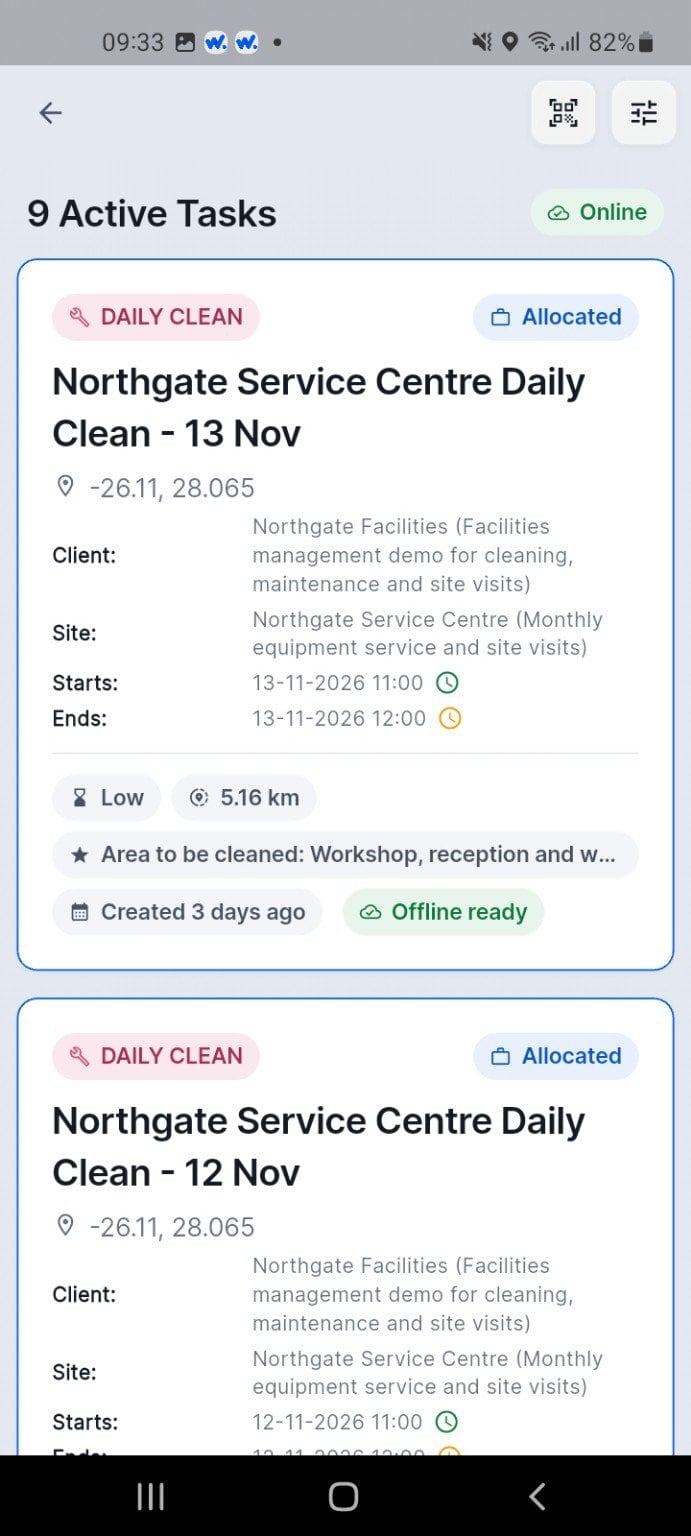
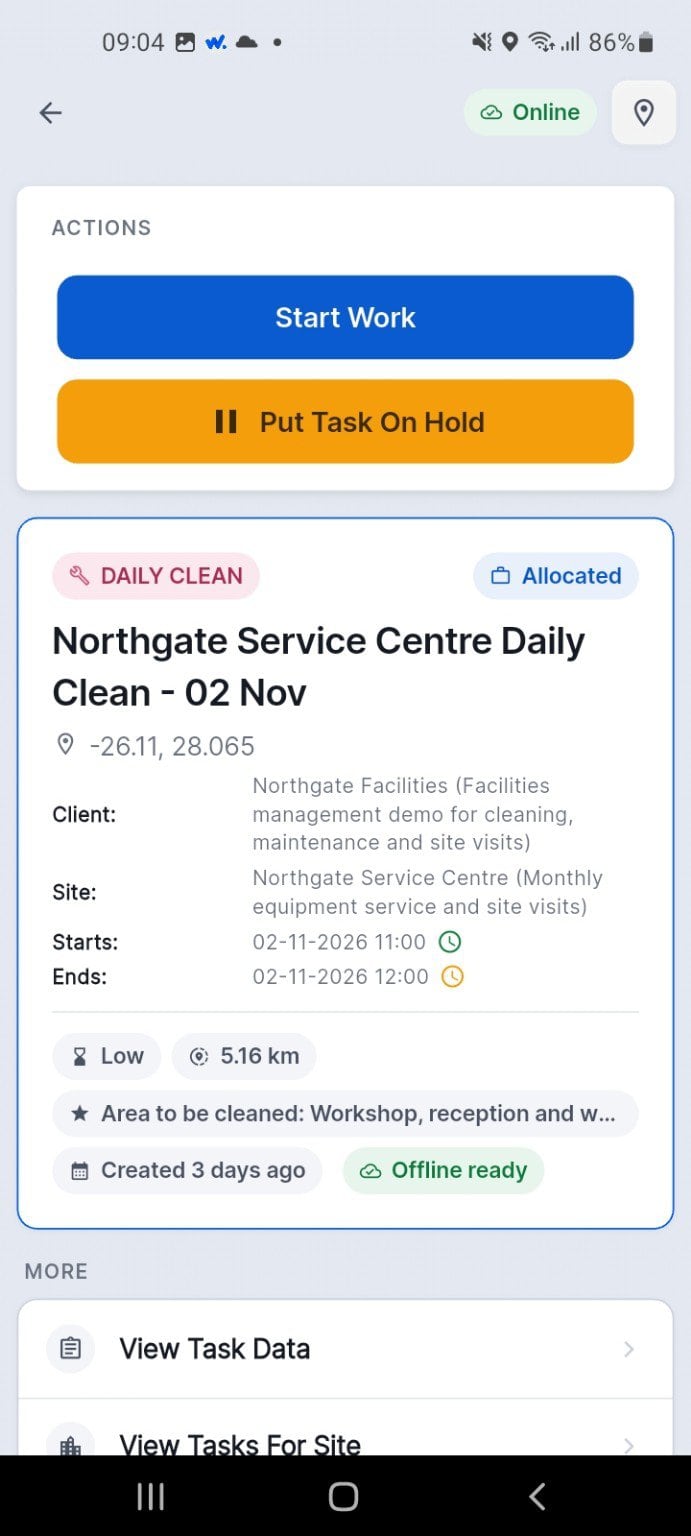
Upcoming cleaning jobs are allocated by date to the cleaner's phone.
Each job shows the site, the areas and what needs doing.
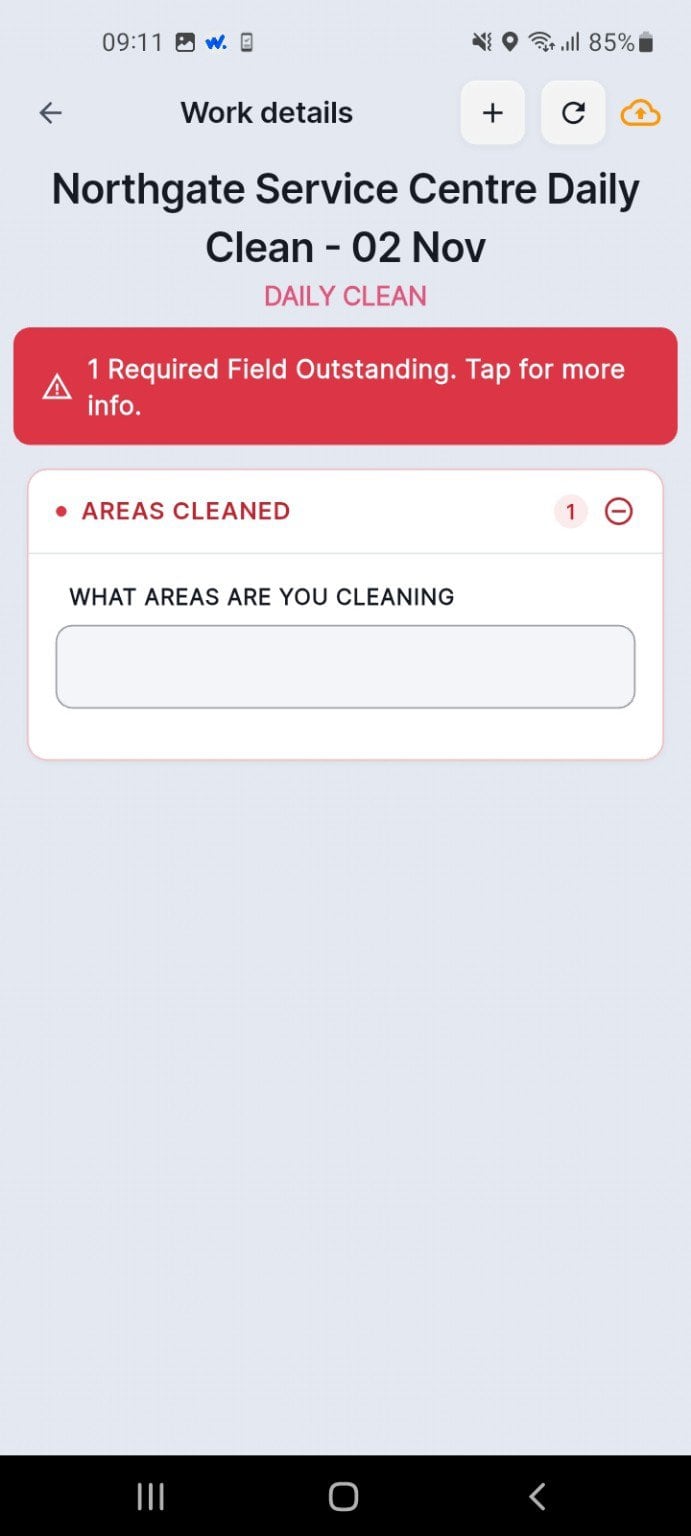
The cleaner records the areas cleaned before the job can close.
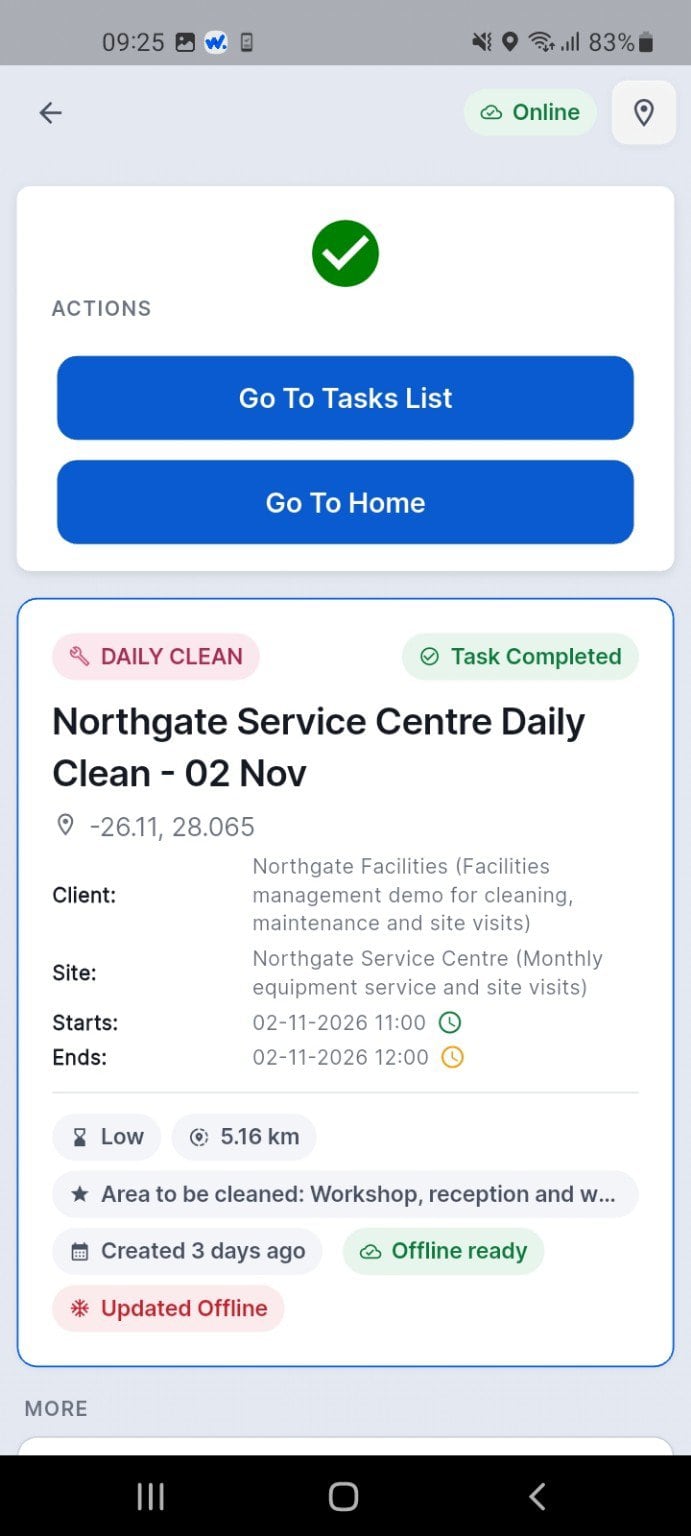
The job completes without signal and syncs when the phone is back online.
Upcoming cleaning jobs are allocated by date to the cleaner's phone.
Each job shows the site, the areas and what needs doing.
The cleaner records the areas cleaned before the job can close.
The job completes without signal and syncs when the phone is back online.
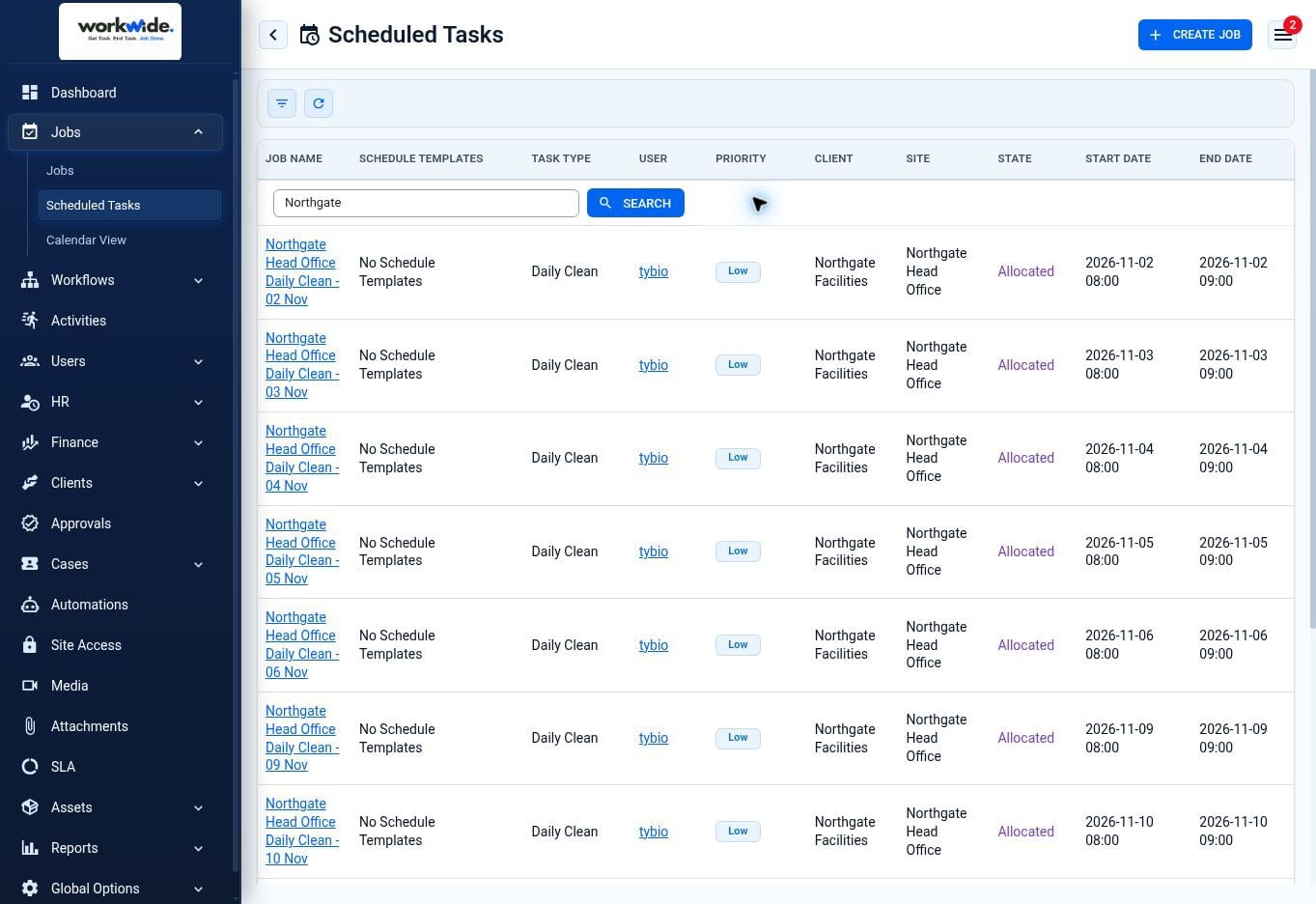
Screens from the WorkWide app and portal, shown with demonstration data.
Tsebo Cleaning run their healthcare cleaning on WorkWide — theatre turnarounds, terminal and discharge cleans, spot and detail work, scheduled per room and scanned where the work happens.
cleaning tasks a year
cleaners
private hospitals across 8 regions
rooms and areas on the schedule
Median theatre turnaround between cases: 8 minutes, with 90% completed inside 21. Terminal cleans: 56 minutes. Each clean type scheduled and recorded separately — and 28% of the work happens after hours, when no manager is on site.
What was done, where, when and by whom — not a site-level tick.
Theatre turnaround, terminal, discharge, spot and detail, each with its own record.
What is due, what has slipped, and by how long.
A specific room on a specific day, produced in a minute rather than a morning.
Hospitals and clinics where theatre turnaround, terminal cleans and infection control evidence are the job.
Cleaning as one line among several — with hygiene, maintenance and access on the same platform.
Many sites, staff you cannot see, and clients who decide renewals on evidence.
In-house teams cleaning their own buildings to a standard somebody checks.
A QR code in each area, scanned as the schedule is worked — not a clocking machine at the entrance.
Theatre, terminal, discharge, spot and detail scheduled and recorded as different work, because they are.
Their own sites, as it happens, instead of a document at month end.
Hygiene deliveries, building maintenance, site access and the service desk, on the same system.
They scan a QR code in each area as they work through the schedule, so the record shows which area and at what time.
Yes. Work is completed offline and syncs when the phone is back in range.
Usually not. A device per team or per area is often enough, and it is scoped properly rather than assumed.
Yes — daily, spot, detail, discharge, terminal, theatre in-between and push-out are separate types with their own schedules and records.
Yes, through the client portal, live rather than monthly.
Yes, generated on their own cycle so lateness is visible.
No. We record work time across the day, week and month, and pass it to whatever runs payroll.
Yes, with corrective work raised from a failed area.
If the answer involves finding a file at reception, that is the problem.