
Coverage
Planned visits against completed, by client and by manager. The first number anyone asks for.
The visits are scheduled rather than remembered. The service report and the client meeting are completed at the site on a phone. And the client gets a report in their own branding, showing exactly what you choose to show them.
Area managers drive a circuit of client sites every month. The report is written afterwards, the client meeting is recorded nowhere, and the findings sit in a book with no owner — so the same problems appear at the next visit, and the client still has to ask how often you have been there.
From memory, days later, and by then it describes what somebody remembers rather than what they saw.
“Every client gets visited monthly.” Until somebody counts, and finds the ones that did not.
The conversation where the client tells you what is bothering them is recorded nowhere at all.
It is in the book. It will be in the book at the next visit too.
Each client and site carries its visit frequency and the forms the visit uses.
Generated and assigned by manager, including unannounced and after-hours visits.
Completed on a phone with location captured, offline where there is no signal.
A service report of what the service looked like, and the client conversation logged on the same system.
Anything that failed raises a task with an owner and a due date — not a line in a book.
Branded with their logo, showing what you have chosen to show them.
The report carries the client’s own branding, and you configure exactly what they see. It goes out because the visit happened, rather than because they chased you for it.
And it works offline. Basements, plant rooms and remote sites sync when the phone is back in range.
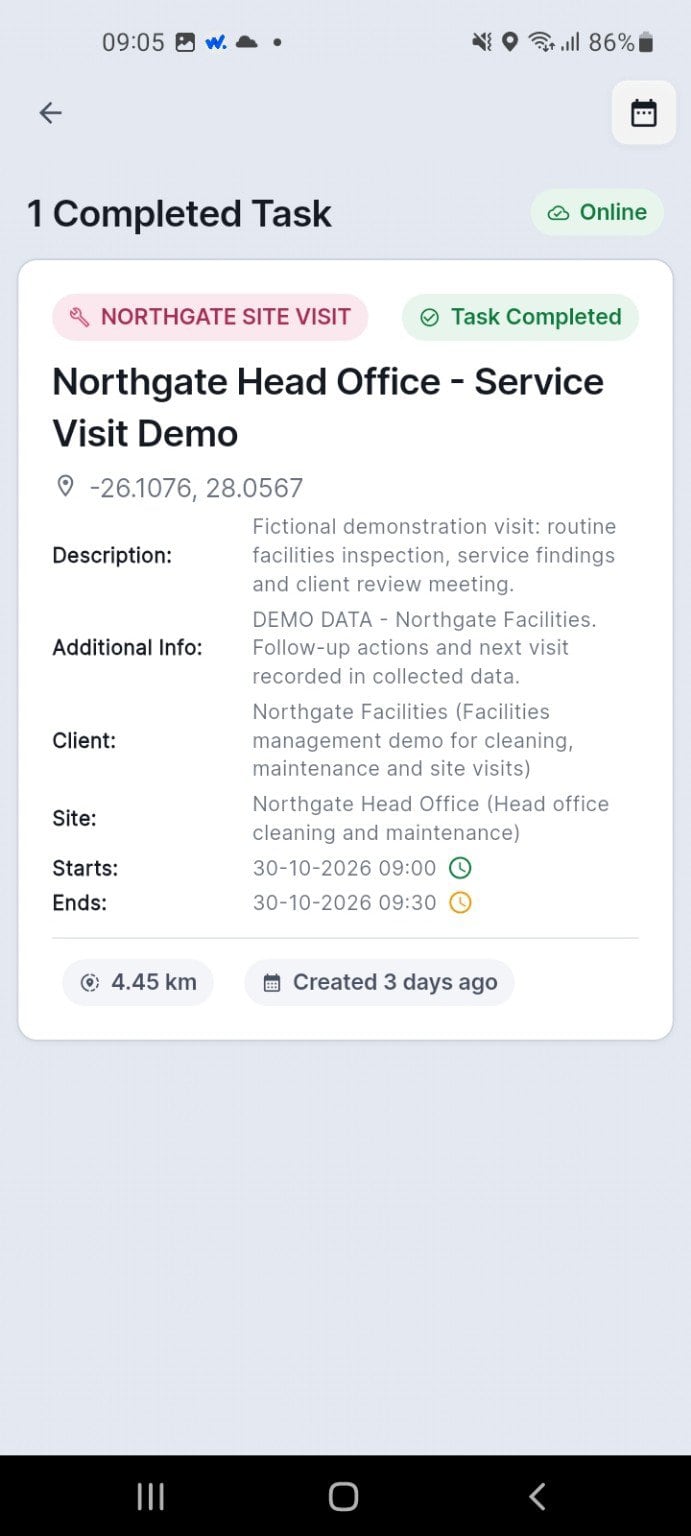
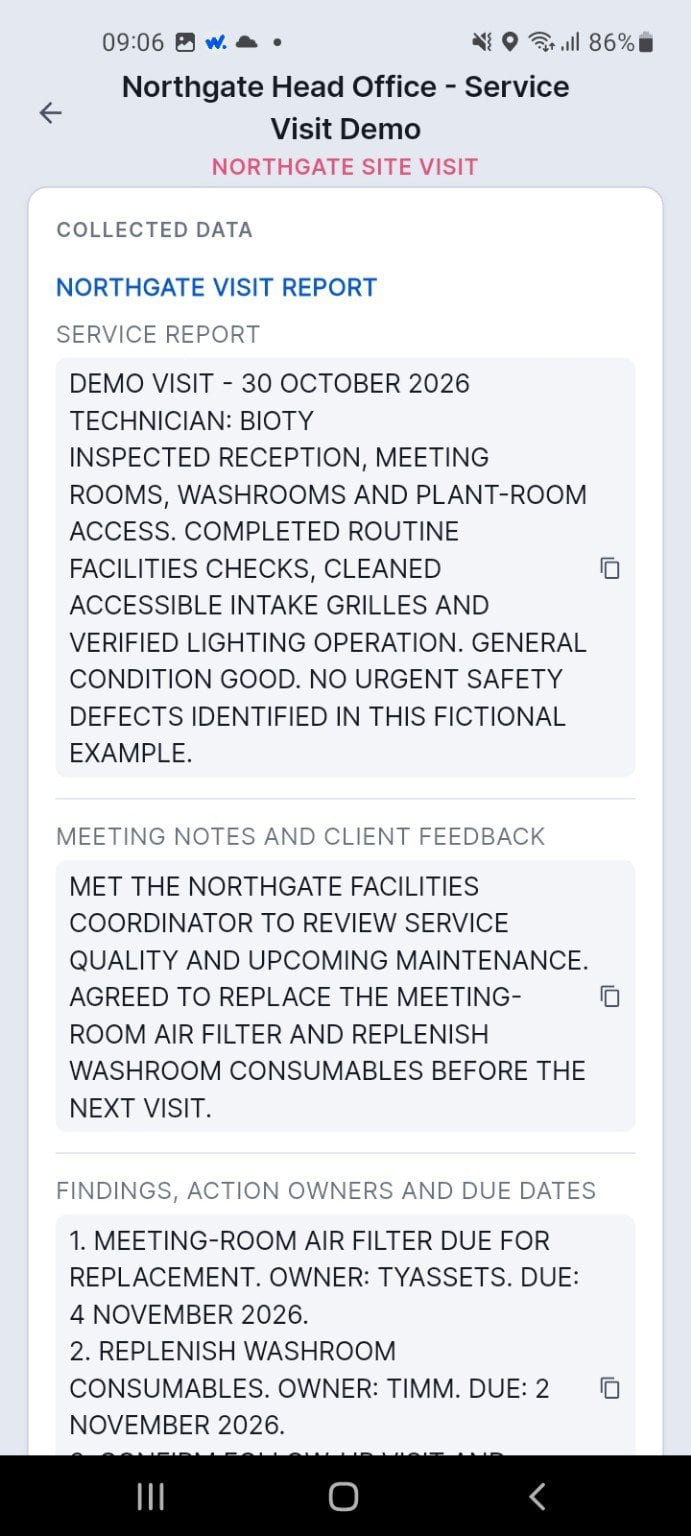
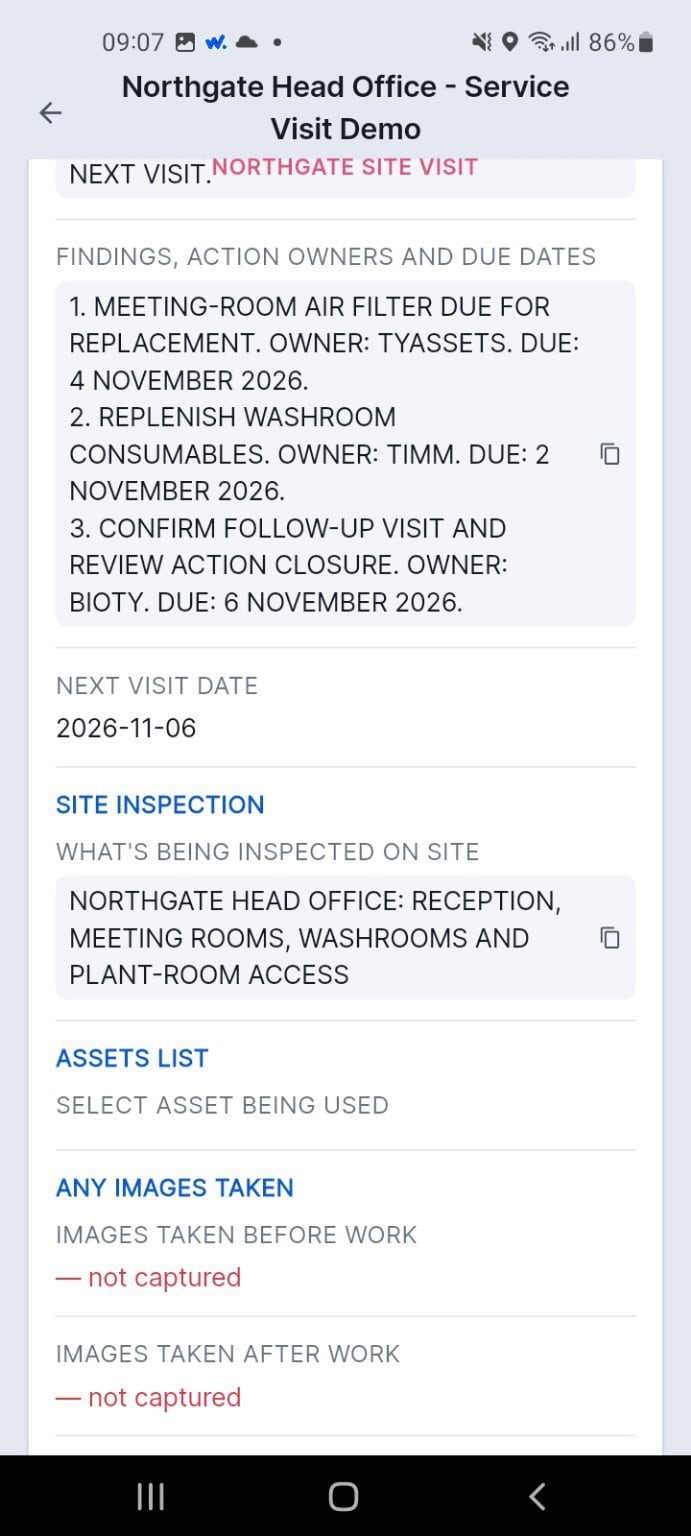
The completed service visit sits in the manager’s task list.
The visit report and the client meeting notes are captured on the phone.
Actions get owners and due dates, and the next visit is set.
The completed service visit sits in the manager’s task list.
The visit report and the client meeting notes are captured on the phone.
Actions get owners and due dates, and the next visit is set.
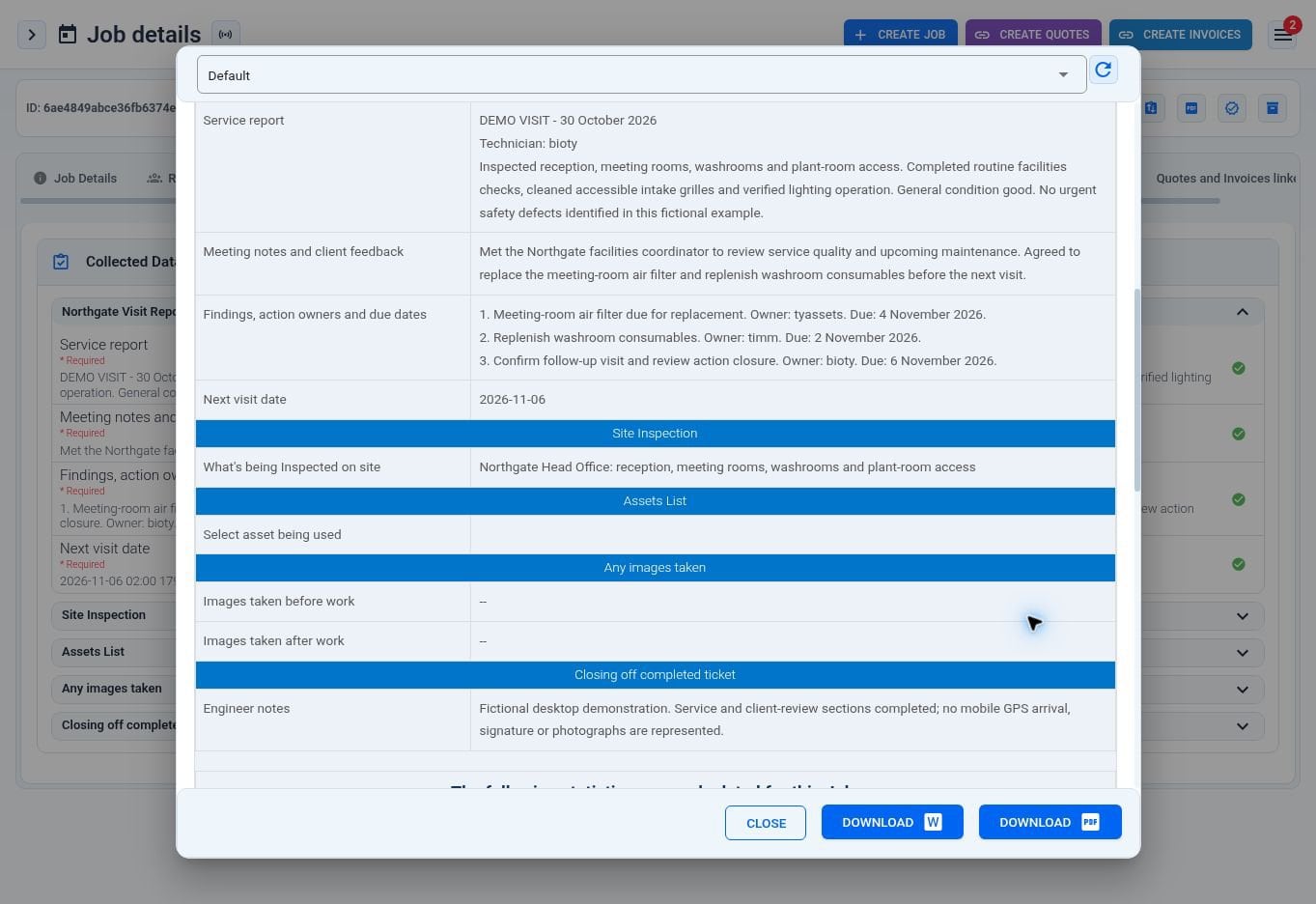
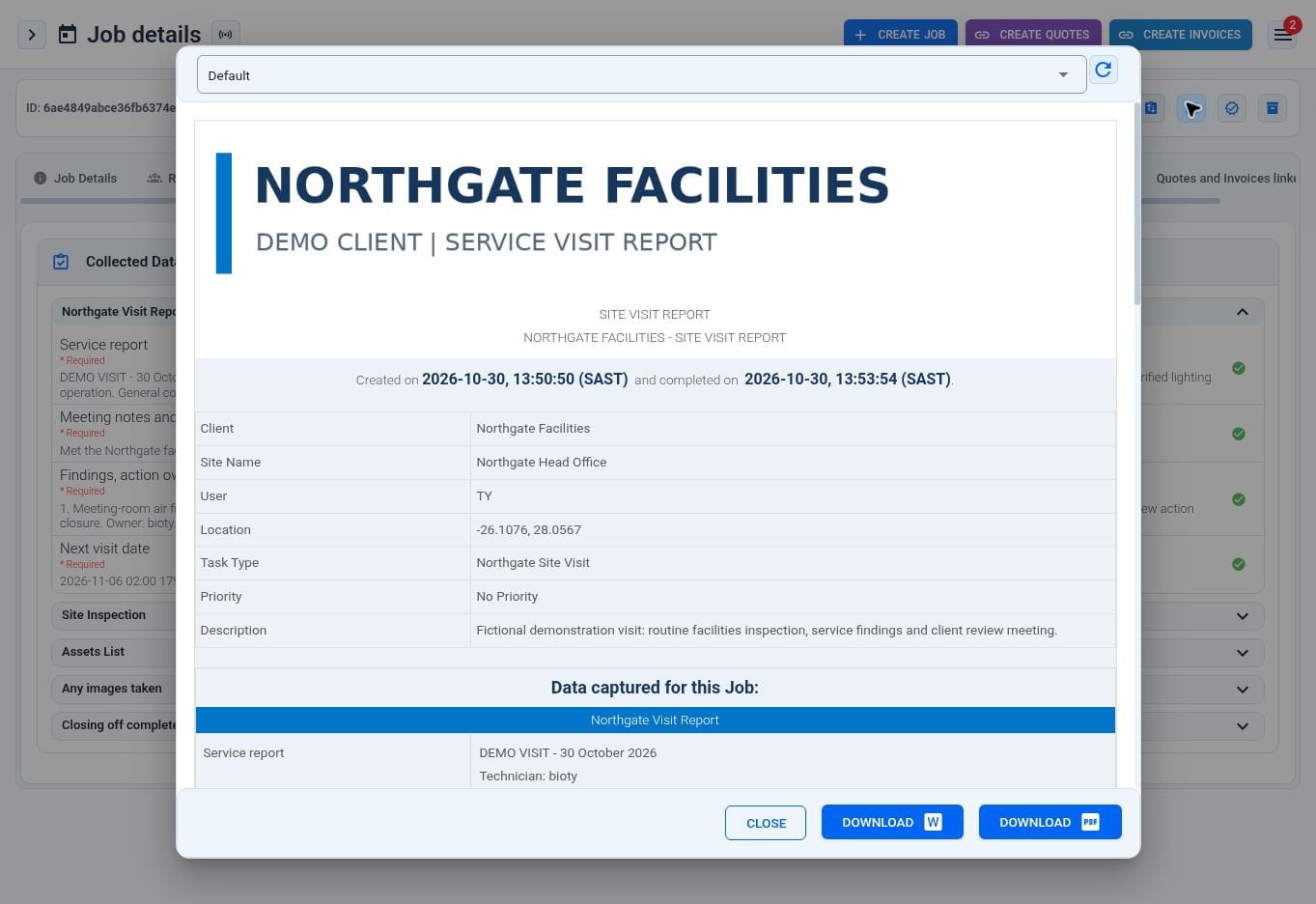
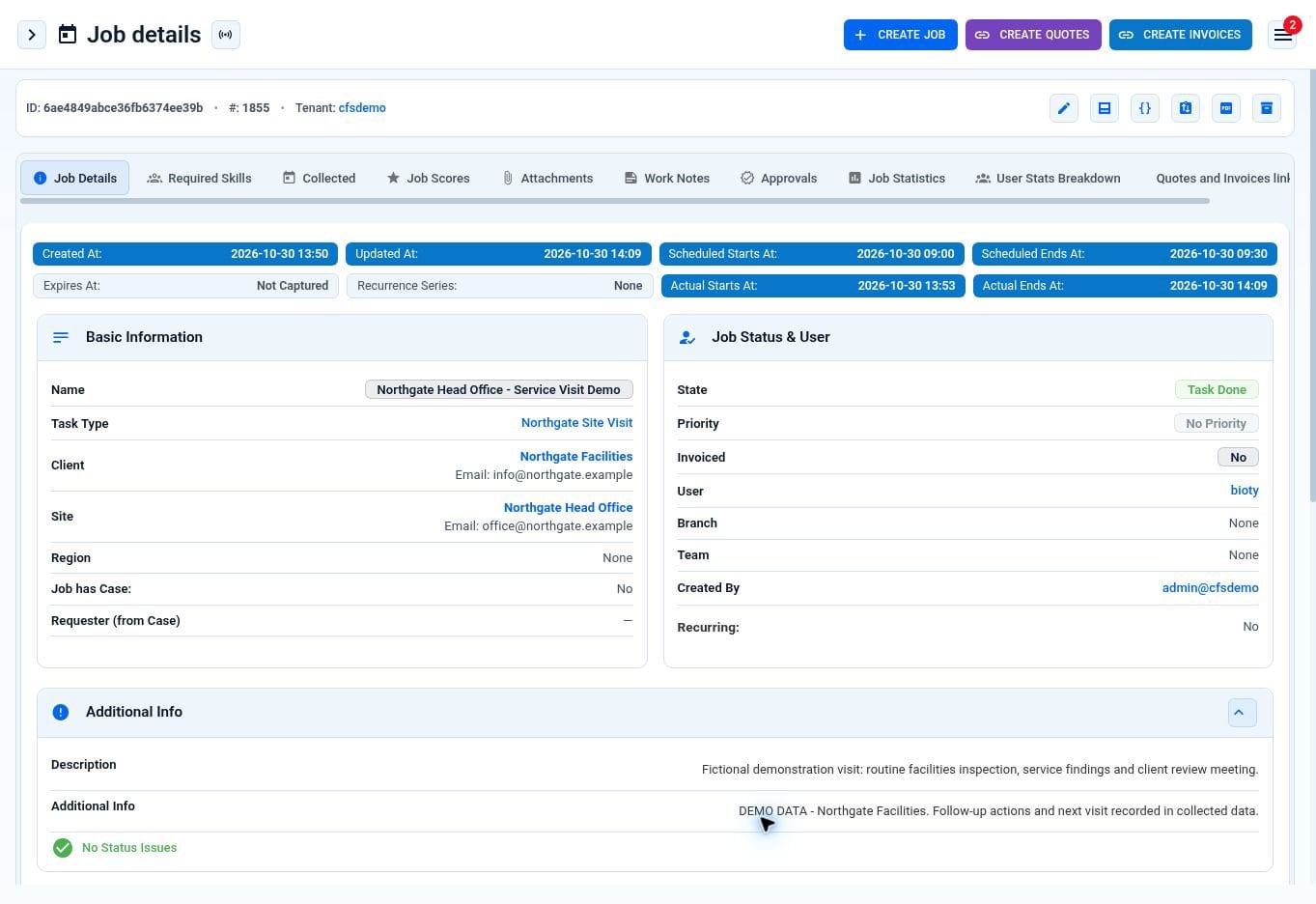
Screens from the WorkWide app and portal, shown with demonstration data.
A multi-service contractor runs its client visit programme on WorkWide — service reports and recorded client meetings across its whole client base.
client organisations on the programme
client sites
visits and recorded client meetings in 12 months
growth in visits across the year
93% of visits completed, and nine in ten completed on the day they were raised. Roughly a quarter of all visits are recorded client meetings rather than service checks.
Planned visits against completed, by client and by manager. The first number anyone asks for.
Who has slipped off the circuit, while there is still time to do something about it.
The same problem at four sites, visible as a pattern instead of four separate notes.
Whether a result from one area means what it means in another.
Cleaning, hygiene, security and catering across many client sites, where the relationship is the contract.
Buildings assessed against a standard, across landlords, tenants and managing agents.
District managers running a circuit of stores against brand and safety standards.
Site condition, brand standards and safety across owned and franchised sites.
Coverage becomes a number — planned against completed, by client and by manager.
On a phone, with location captured, offline where there is no signal.
An owner, a due date, and the next visit showing whether it held.
Their branding, your choice of what is visible, issued rather than requested.
Yes. The service report, the meeting record and any checklist are yours; we run them the same way at every site.
Yes — scored templates, with weighted sections and a critical item that can fail the whole visit, where that is how you work.
Yes, including a site manager or a contractor, with a due date and closure tracked.
Yes, including randomised and after-hours visits.
Yes, and syncs when the phone is back in range.
A report in their own branding, and their own sites in the portal — with visibility configured by you.
No. This is the manager’s visit, not the guard’s shift.
No. We score visits and close findings; we are not an accredited audit platform.
If the honest answer is “most of them”, that is the problem.