
Customer Service Management
Asset-linked ticketing, self-service portal and automated workflows.

Built to make customer service management effortless.
Customers log tickets by scanning a QR code on the asset itself — every ticket arrives pre-linked to the right equipment with full service history. Automated workflows prioritise, schedule and route work to the right technician, while the self-service portal cuts status calls and builds trust.
Key Benefits
- Asset-linked QR ticketing — tickets arrive pre-linked to the right equipment
- Branded self-service portal cuts inbound status calls
- Automated workflows prioritise, schedule and route every ticket
- Full service history visible to both teams and customers
Most customer service tools were built for desks, not field operations. WorkWide is different.
Customers log tickets by scanning a QR code directly on the asset. No guesswork, no misrouted requests. Every ticket arrives pre-linked to the right equipment, with full service history attached. Your team resolves faster. Your customers stop chasing updates.
That's the difference between a generic help desk and a customer service management system designed for how field service actually works.
Why Generic Help Desks Fall Short for Field Service
Standard customer service software handles tickets. It doesn't know what equipment is on site, what was serviced last month, or which technician has the right parts in their van.
WorkWide closes that gap. Every feature below is built around one reality: your customer service is only as good as the accuracy of the information behind it.
Asset-Linked Ticketing
Customers scan a QR code or barcode on the asset directly from their phone. The ticket is instantly created and linked to that specific piece of equipment, including its full service history, installed parts and any open jobs. Technicians arrive knowing exactly what they're walking into.
Simple Ticket Logging
Customers can log support requests via email, through the self-service portal, or by scanning an asset — whichever fits the moment. Every channel feeds into the same system so nothing falls through the cracks.
Self-Service Customer Portal
Through the portal, clients log tickets, track progress in real time and view their full service history without contacting your team. Transparency reduces follow-up pressure and builds confidence in your service.
Automated Workflows
When a ticket is created, WorkWide automatically prioritises, schedules and routes it to the right technician based on your rules. No manual triage. No jobs lost in a handover.
Faster Diagnostics in the Field
Because every ticket is tied to the correct asset, technicians have immediate access to service history, previous fault notes and parts used before they touch anything. Fewer return visits, shorter downtime.
SLA and Contract Visibility
WorkWide surfaces SLA deadlines and contract terms directly within the ticketing workflow. Your team always knows response commitments, and automated alerts flag anything at risk before it escalates.
Integrations That Fit Your Stack
WorkWide connects with the financial platforms and communication tools your business already runs on, so your customer service data doesn't live in a silo.
A Customer Service Management System That Understands Field Service
Generic platforms make field service companies work around their limitations. WorkWide is built from the ground up for businesses that manage physical assets, mobile technicians and customers who expect fast, accurate support.
Asset-linked ticketing, automated dispatch, real-time visibility and SLA compliance — all connected.
Measured impact across WorkWide Mobile customer deployments.
Measured impact across WorkWide Mobile customer deployments.
Measured impact across WorkWide Mobile customer deployments.
Where teams put Customer Service Management to work.
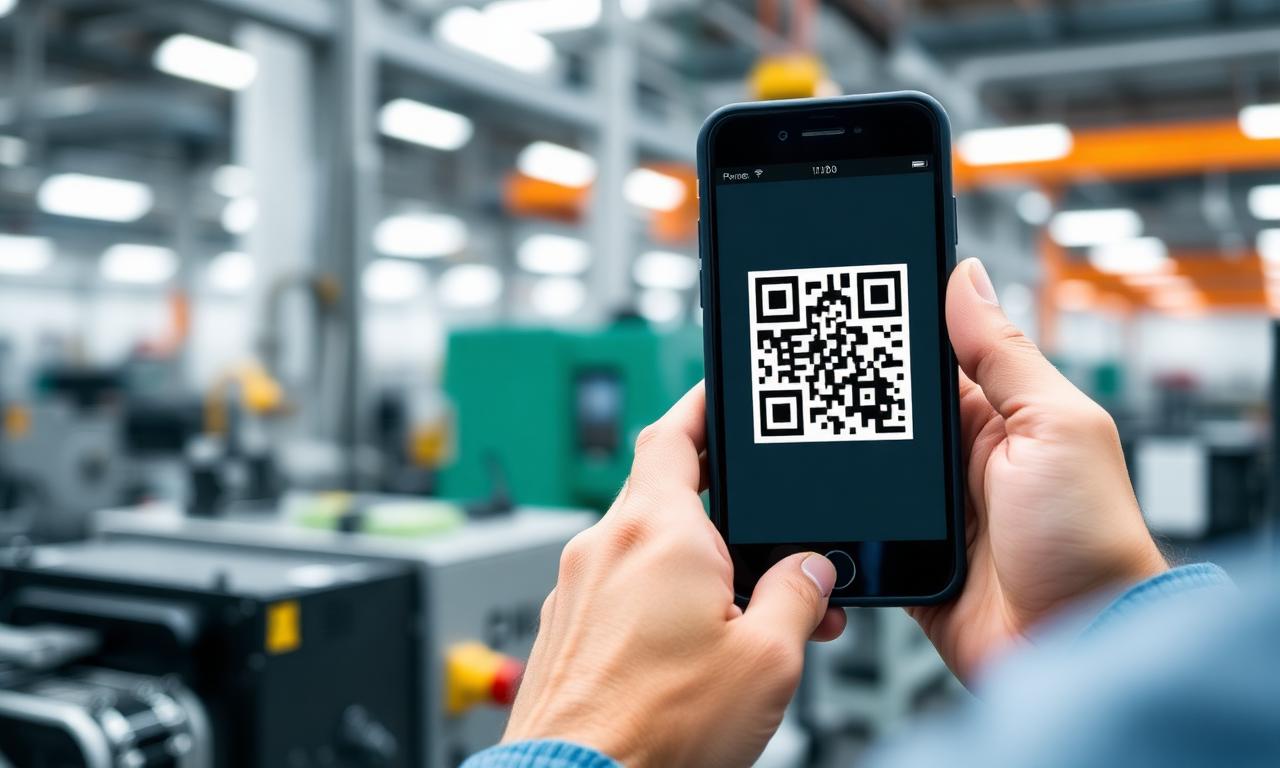
Asset-linked QR ticketing
Customers scan a QR code on the asset to log a ticket pre-linked to the right equipment and full service history.

Self-service customer portal
Clients log tickets, track progress and view history without calling — fewer status calls, more confident customers.

Automated dispatch workflows
Every ticket is prioritised, scheduled and routed to the right technician based on your rules.
Customer Service Management — questions answered.
How do customers log a ticket?+
They scan a QR code on the asset itself. Every ticket arrives pre-linked to the right equipment and its full service history.
Is there a customer self-service portal?+
Yes — customers can log tickets, track progress and see history without phoning in.
How are tickets routed?+
Automated workflows prioritise, schedule and dispatch each ticket to the right technician based on your rules.
How is this different from a normal help desk or CRM?+
Standard help desks and CRMs are built around tickets and contacts — they do not know what equipment is on site, what was serviced last month or which technician has the right parts. WorkWide Mobile links every customer interaction to the underlying asset, job history and contract, so customer service is grounded in operational reality rather than disconnected ticket records.
How do customers log tickets by scanning a QR code?+
Each asset can carry a QR code. When a customer scans it, a ticket is created and pre-linked to that specific piece of equipment, with the full service history attached. There is no guesswork about which site, asset or contract the request relates to.
Does customer service connect to jobs, assets and SLAs?+
Yes. Tickets flow directly into job management, link to the relevant asset record and inherit the appropriate SLA rules — so the same request is visible to customer service, dispatch, technicians, finance and reporting without re-keying information.
Can customers see updates without calling in?+
Yes. Through the client portal, customers can log requests, see ticket status, view job progress and access reporting — reducing inbound calls and giving them confidence that their issues are being handled.
How does this improve resolution times?+
Because every ticket is tied to the right asset, customer, contract and service history, the team that picks it up has full context immediately. Less back-and-forth means faster triage, more accurate dispatching and quicker resolutions — which in turn improves SLA performance and customer satisfaction.
Teams using customer service management
Facilities Management
Routine maintenance, incidents and workflow oversight.
See industrySecurity
Callouts, site inspections and firearm controls.
See industryAutomotive
Installations, repairs and vehicle inspections.
See industryInsurance
Assessments, fulfilment and claims management.
See industryHealthcare Services
Real-time maintenance and incident management.
See industryCustomer stories featuring this
Field Service Management & Workforce Optimization for a leading South African office automation provider
Digitizing technician dispatch, real-time visibility, and first-time resolution to eliminate repeat callouts and boost margins.
Read story Facilities Management — HealthcareTask & Compliance Management for a leading facilities management company in healthcare
Automating daily cleaning schedules and QR-validated execution across hospitals to enhance productivity, hygiene compliance, and transparent client reporting.
Read storySee Customer Service Management live in your operation.
Book a call and we'll show you exactly how this works for your teams, sites and customers.
Related capabilities
Ready to get started?
Book a call and see WorkWide Mobile in action.